
Connect Your Devices
Anywhere
A peer-to-peer mesh VPN that makes it easy to connect to any of your devices wherever they are. Or route all your traffic through one of them. No third-party servers, no complex configuration — just download, scan, and connect.
Why Anywherelan?
Built for security, speed, and simplicity. No centralized servers, just direct connections.
Fully Peer-to-Peer
No third-party coordination servers. Your traffic goes directly between your devices, ensuring maximum privacy and speed.
Easy Setup
Download, scan QR code, done. No complex configuration or server setup is required.
NAT Traversal
Built-in support for punching through NAT. If P2P connection is unavailable, encrypted data flows through community relays.
VPN Gateway
Route all your traffic through any of your devices — a full-tunnel VPN gateway, like WireGuard or OpenVPN, but the exit node is yours. Need just one app? Use the built-in SOCKS5 proxy instead.
Cross-Platform
Works on Windows, Linux, macOS, and Android. Connect all your devices seamlessly.
Built-in DNS
Use memorable domains like work-laptop.awl instead of IP addresses.
What can you do with Anywherelan?
Your Home LAN, Anywhere
Be on your home network wherever you are: files on the NAS, printers, cameras, router settings — everything works as if you never left.
Self-Hosting
Access your Nextcloud, Home Assistant, or Bitwarden instances securely from anywhere, as if you were on your home LAN, without exposing them to the internet.
Remote Desktop Access
Connect to your home or work laptop/server with RDP, VNC, or SSH — no port forwarding needed.
Personal VPN
Use any of your devices as your own VPN exit node. Access geo-restricted content, or browse safely from your home IP on public Wi-Fi.
Gaming
Play local multiplayer games with friends as if you were in the same room. Low latency P2P connections make it feel like one LAN.
Dev Sharing
Share your development server with teammates for demos — a simple alternative to ngrok.
How does it work?
A Virtual Network Adapter
awl creates a virtual network interface (TUN, or wintun on Windows) on each device. To your apps it's just another IP-level network.
Devices Find Each Other
Each device announces itself in the public libp2p DHT, which the same kind of tech BitTorrent runs on. No coordination server, no account.
They Connect Directly
Traffic flows peer-to-peer over QUIC or TCP with TLS 1.3, punching through NATs. When a direct path is impossible, encrypted traffic falls back to community relays, which only ever see ciphertext.
Your Key Is Your Identity
Each device has an ed25519 keypair, and the peer ID is the public key. Peers must add each other explicitly — strangers can't connect, and there's no certificate authority to trust.
Want the details? Read How it works and Security in the README.
Screenshots
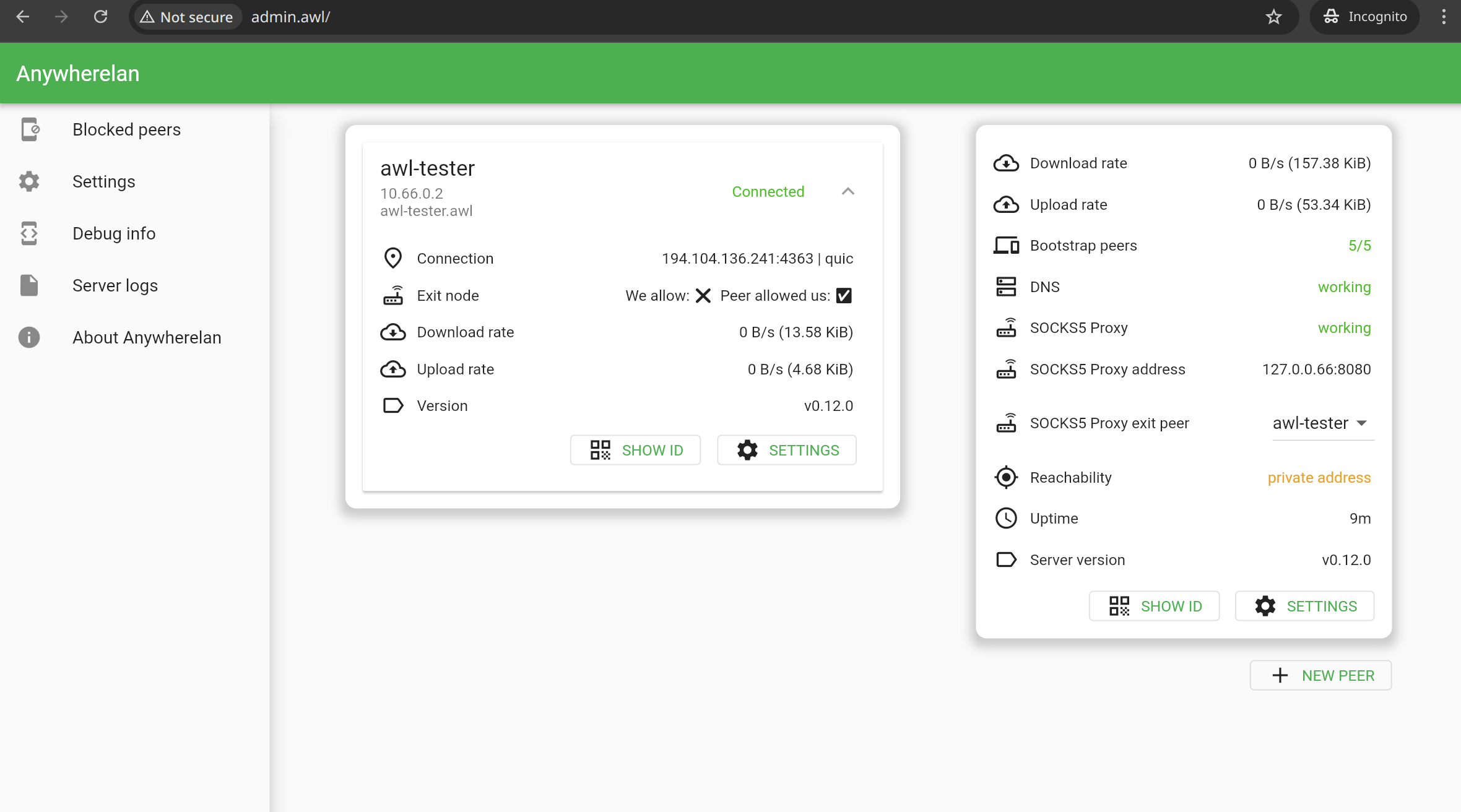
Desktop
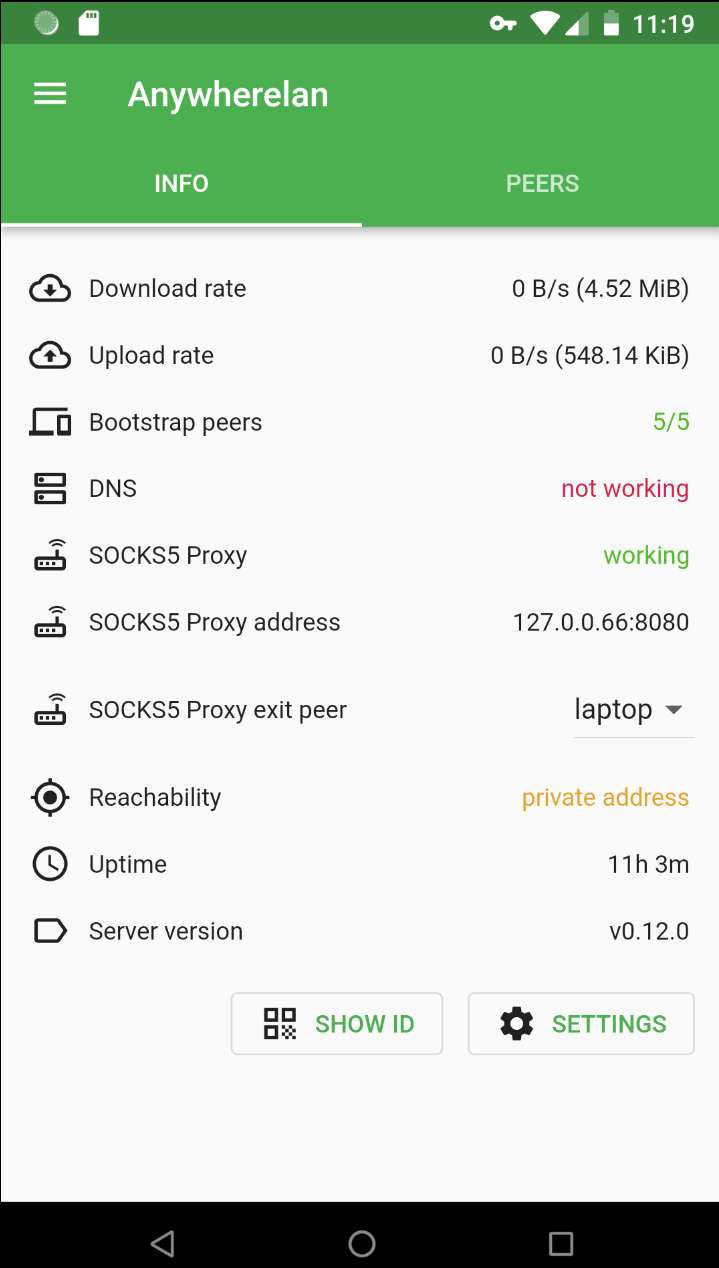
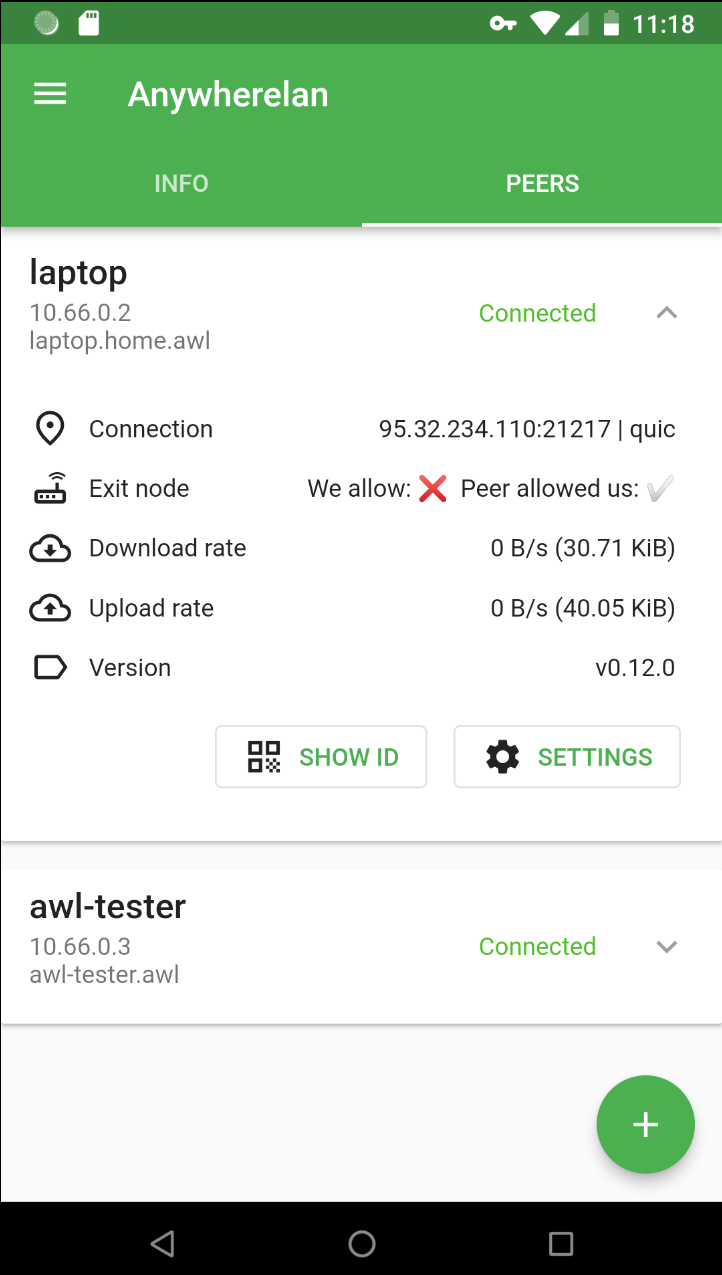
Android
Getting Started
Available for all major platforms. Free and open source.
Need more details? See the installation instructions